
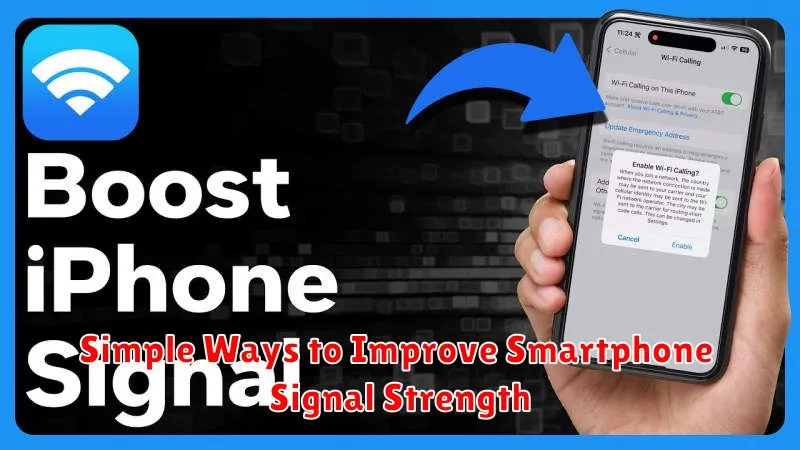
Experiencing frustratingly weak smartphone signal strength? A poor signal can lead to dropped calls, slow internet speeds, and overall unreliable mobile communication. This article will explore simple ways to improve smartphone signal strength, providing practical solutions to boost your reception and ensure a consistently strong connection. Whether you’re struggling with weak signal at home, in the office, or on the go, these tips will empower you to take control of your mobile experience and enjoy uninterrupted connectivity.
From adjusting your phone’s settings to optimizing your environment, there are numerous simple ways to improve smartphone signal strength without resorting to expensive equipment or complicated technical solutions. This article outlines accessible strategies to help you troubleshoot weak signal issues and maximize your smartphone signal strength for optimal performance. Read on to discover effective techniques to strengthen your connection and say goodbye to frustrating dropped calls and slow data speeds.
Move to Open Areas
One of the simplest ways to improve your smartphone’s signal strength is to move to a more open area. Walls, buildings, and other obstructions can significantly weaken cellular signals. If you’re indoors, try moving closer to a window or even stepping outside.
Dense foliage like trees can also interfere with signal reception. Consider moving to a location with less dense vegetation.
In urban environments, tall buildings can create “urban canyons” that block signals. Try moving to a higher floor or a location with a clearer line of sight to the nearest cell tower (although the location of cell towers is not always readily apparent).
Restart the Device
One of the simplest yet often effective ways to improve smartphone signal strength is to restart the device. This simple action can resolve temporary software glitches or network connectivity issues that may be hindering signal reception.
Restarting the phone clears the operating memory and allows the device to establish a fresh connection with the nearest cell tower. This can be especially helpful if the phone has been running for an extended period and background processes are interfering with network connectivity.
The process for restarting varies slightly depending on the device, but generally involves holding down the power button and selecting the restart option. It is recommended to restart the device periodically, for instance, once a week, to maintain optimal performance and signal strength.
Why Restarting Helps
Restarting allows the phone to:
- Clear temporary files and data.
- Close background applications that might be using network resources.
- Re-establish a connection to the cellular network.
- Reset the network settings, resolving potential conflicts.
Turn Airplane Mode On and Off
Toggling Airplane Mode can sometimes resolve minor connectivity issues. This feature, when activated, disables all wireless communication on your device, including cellular data, Wi-Fi, and Bluetooth. Turning it off forces your phone to reconnect to the available networks, which can occasionally resolve signal problems.
This action is akin to restarting your phone’s connection to the network. By briefly disabling and re-enabling the wireless radios, your device can establish a fresh connection, potentially improving signal strength. This process can be particularly helpful if your phone has been connected to a weak or congested cell tower for an extended period.
How to Toggle Airplane Mode
- Locate the Airplane Mode setting. This is typically found in your device’s quick settings menu, accessible by swiping down from the top of the screen.
- Activate Airplane Mode. Tap the icon to turn it on. Wait approximately 15-30 seconds.
- Deactivate Airplane Mode. Tap the icon again to turn it off. Allow your device to reconnect to the network.
While not a guaranteed fix, this simple procedure is often effective in resolving temporary signal fluctuations.
Avoid Obstructions Indoors
Walls, especially those containing metal or concrete, significantly weaken cellular signals. Positioning yourself near windows can often improve reception.
Large metallic objects and appliances, like refrigerators and filing cabinets, can also interfere with signal strength. Try to keep your phone away from these items when experiencing poor reception.
Building materials such as energy-efficient windows and insulation can impede cell signals. Consider using a signal booster if these materials significantly impact your indoor reception.
Use Signal Booster Accessories
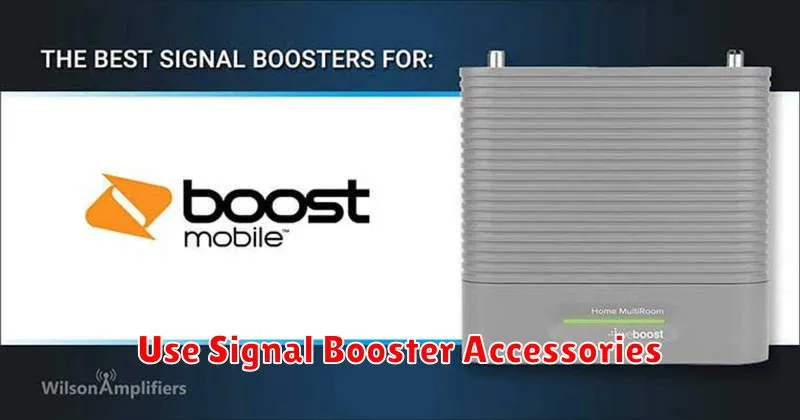
Signal boosters, also known as repeaters or amplifiers, can significantly improve cellular reception. These devices capture the existing weak signal, amplify it, and then rebroadcast it within your home or vehicle.
There are different types of signal boosters available, each designed for specific needs:
- Femtocell boosters: These small, portable devices create a mini cellular tower by connecting to your broadband internet.
- Microcell boosters: Similar to femtocells, but with broader coverage, suitable for small businesses or larger homes.
- Vehicle boosters: Designed for use in cars, trucks, and RVs, these boosters enhance signal strength while traveling.
Choosing the right booster depends on your location, the size of the area needing coverage, and the cellular provider. Consult with a professional to determine the most effective solution for your specific situation.
