

In today’s interconnected world, our smartphones have become indispensable tools, storing vast amounts of sensitive information, from personal contacts to financial data. This makes them prime targets for malware, malicious software designed to damage, disrupt, or gain unauthorized access to your device. Protecting your smartphone from malware is crucial to safeguarding your privacy and security. This article will provide a comprehensive guide on how to protect your smartphone from malware, covering essential steps to prevent infection and maintain the integrity of your device.
Learning how to protect your smartphone from malware is no longer optional but a necessity. From seemingly harmless apps to deceptive phishing attacks, malware can infiltrate your smartphone through various channels. Ignoring the risks of malware can lead to dire consequences, including data breaches, financial losses, and identity theft. By understanding the various types of mobile malware, recognizing the signs of infection, and implementing effective preventative measures, you can significantly reduce the risk of becoming a victim of cybercrime. This article will empower you with the knowledge and tools you need to protect your smartphone from malware effectively.
Avoid Downloading Unknown Apps
One of the most common ways malware infiltrates your smartphone is through the installation of infected applications. Therefore, it is crucial to exercise caution when downloading apps.
Stick to official app stores like Google Play Store for Android and the Apple App Store for iOS. These platforms have security measures in place to vet apps, although some malicious apps can still slip through. Scrutinize app permissions before installing. If an app requests access to features unrelated to its functionality (e.g., a flashlight app requesting access to your contacts), be wary.
Avoid downloading apps from third-party websites or through links received via email or text message. These sources are often unregulated and can easily distribute malware disguised as legitimate apps. Even if an app appears genuine, downloading from untrusted sources significantly increases the risk of infection.
Use Trusted App Stores Only
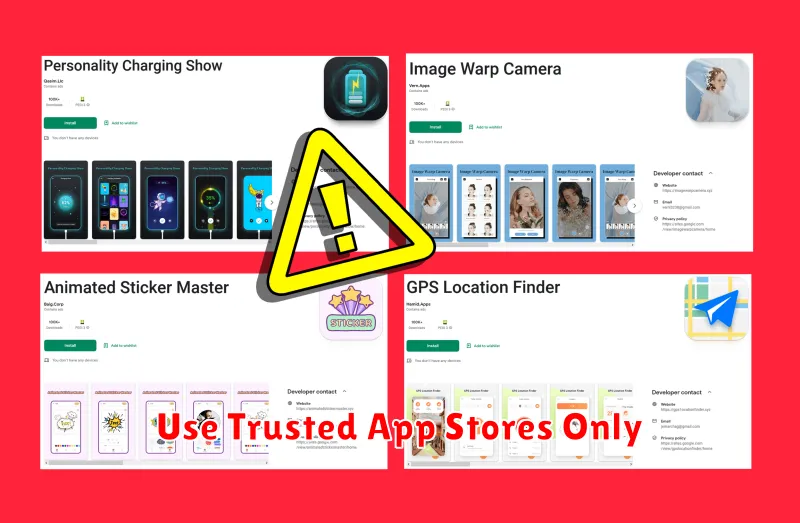
A crucial step in safeguarding your smartphone is to download apps exclusively from trusted sources. The primary trusted sources are the official app stores for your device’s operating system – the Google Play Store for Android and the Apple App Store for iOS. These platforms have security measures in place to vet apps for malicious software and other threats.
While third-party app stores might offer tempting alternatives, they often lack the rigorous security checks of the official stores. This significantly increases the risk of downloading malware disguised as legitimate applications. Sticking to trusted app stores dramatically reduces this risk and provides a more secure environment for your device.
Install a Mobile Antivirus
A crucial step in protecting your smartphone is installing a reputable mobile antivirus app. These apps act as a shield against various threats, scanning for and removing malicious software before it can compromise your device.
Choosing the right antivirus is important. Look for well-known security companies with proven track records. Consider features like real-time protection, scheduled scans, and phishing protection. Some antivirus apps also offer additional features like anti-theft tools, app lockers, and VPN services.
After installing the chosen antivirus, ensure it’s configured correctly and kept up-to-date. Regular updates are essential to combat the latest threats. Most antivirus apps will automatically update in the background, but it’s a good practice to periodically check for updates manually.
Keep Software Updated
One of the most effective ways to protect your smartphone from malware is to keep all software updated. This includes the operating system (OS) and all installed applications.
Operating System Updates: OS updates often include critical security patches that address known vulnerabilities. These vulnerabilities can be exploited by malware to gain access to your device. Regularly checking for and installing OS updates is crucial.
Application Updates: Like OS updates, app updates frequently contain security enhancements and bug fixes. Outdated apps can be entry points for malware. Ensure automatic updates are enabled for your apps or manually update them regularly.
Review App Permissions

A crucial step in protecting your smartphone from malware is to carefully review the permissions requested by apps. Permissions grant apps access to specific features or data on your device. Malicious apps often request excessive or unnecessary permissions to gain control of your information or perform harmful actions.
Before installing an app, take the time to examine the permissions it requests. Ask yourself if the requested permissions are reasonable for the app’s intended function. For example, a photo editing app might legitimately require access to your camera and storage, but a flashlight app should not need access to your contacts or microphone.
If an app requests permissions that seem suspicious or unrelated to its purpose, consider it a red flag. It’s better to err on the side of caution and avoid installing such apps. For apps you’ve already installed, review their permissions periodically and revoke any that seem unnecessary or excessive.
