
In today’s hyper-connected world, public Wi-Fi hotspots offer convenient internet access for smartphones. Whether you’re at a coffee shop, airport, or hotel, these networks can be tempting to use for checking emails, browsing social media, or even conducting online banking. However, the convenience of public Wi-Fi comes with inherent security risks. Using these networks without taking proper precautions can expose your sensitive data to cybercriminals. This article will guide you through essential steps on how to safely use public Wi-Fi on your smartphone, protecting your personal information from potential threats and ensuring a secure browsing experience. Learning how to safely connect to these networks is crucial in the digital age.
Connecting to public Wi-Fi without understanding the security implications can have serious consequences. From identity theft to financial fraud, the risks are significant. By implementing a few simple security measures, you can mitigate these risks and enjoy the convenience of public Wi-Fi on your smartphone without compromising your online safety. This guide will provide you with practical tips and best practices for safe public Wi-Fi usage, including enabling a VPN, verifying network legitimacy, disabling automatic connections, and practicing safe browsing habits. Take control of your smartphone security and learn how to safely access public Wi-Fi.
Avoid Sensitive Transactions
Public Wi-Fi networks often lack robust security measures, making them vulnerable to eavesdropping. Therefore, it’s crucial to avoid conducting any sensitive transactions while connected to public Wi-Fi.
This includes online banking, online shopping involving credit card information, accessing work or company resources, and logging into accounts that contain personal identifiable information (PII).
If you must access these types of services, consider using a virtual private network (VPN). A VPN creates a secure, encrypted connection over the public Wi-Fi network, shielding your data from potential threats.
Alternatively, wait until you have access to a secure and trusted network, such as your home Wi-Fi or cellular data connection, before performing sensitive transactions.
Use a Trusted VPN

Using public Wi-Fi exposes your smartphone to various security risks. A Virtual Private Network (VPN) encrypts your internet traffic, shielding your data from potential eavesdroppers. This added layer of security is crucial when connecting to networks you don’t control.
When choosing a VPN, opt for a reputable provider with a proven track record of security and privacy. A trustworthy VPN will have a clear privacy policy, robust encryption protocols, and minimal logging practices. Avoid free VPNs as they may compromise your security by selling your data or injecting ads.
Activate the VPN before connecting to the public Wi-Fi network. This ensures your connection is secured from the moment you access the internet. Once connected, verify the VPN is active by checking its status within the app.
Turn Off Auto-Connect
One of the most important steps to enhance your security on public Wi-Fi is to disable the auto-connect feature on your smartphone. This feature, while convenient, poses a significant security risk. Your phone may automatically connect to unsecured or malicious networks without your knowledge, potentially exposing your data.
By disabling auto-connect, you regain control over which networks your device joins. This allows you to carefully assess available networks and choose only those that appear legitimate and secure. It prevents your phone from automatically joining potentially harmful networks when you’re in range.
The process for disabling auto-connect varies slightly depending on your operating system. Generally, you can find this setting within your Wi-Fi settings menu. Look for options labeled “Auto-connect,” “Connect automatically,” or similar phrasing. Disabling this setting adds a crucial layer of protection when using public Wi-Fi.
Enable HTTPS-Only Mode
HTTPS-Only Mode is a crucial feature offered by most modern browsers. This mode forces your browser to connect to websites only if they use the HTTPS protocol, which encrypts your connection. This encryption protects your data from being intercepted by malicious actors on the network.
Enabling this setting adds a significant layer of security, especially when using public Wi-Fi. While not all websites offer HTTPS, those dealing with sensitive information, like online banking or shopping, typically do. By enforcing HTTPS, you minimize the risk of connecting to a fraudulent or compromised version of a website.
The process to enable HTTPS-Only Mode varies depending on the browser. In most cases, it can be found within the browser’s settings or privacy section. Look for options like “Always use secure connections” or “HTTPS-Only Mode.” Enabling this setting is a simple yet effective way to enhance your security on public Wi-Fi networks.
Forget the Network After Use
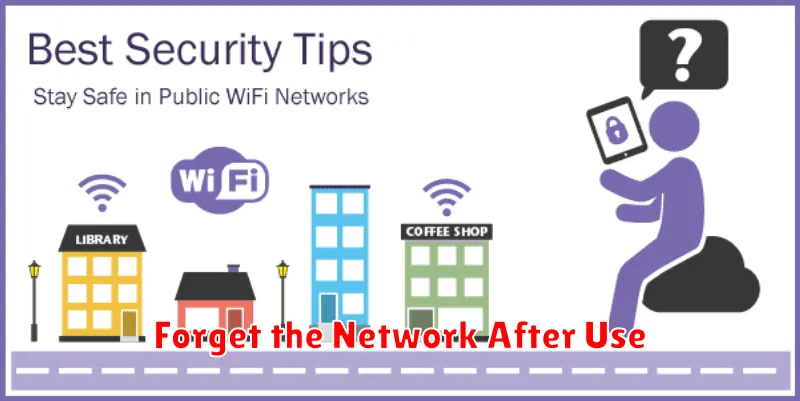
One of the most crucial steps for securing your smartphone on public Wi-Fi is to forget the network after you’re finished using it. This prevents your device from automatically reconnecting in the future, which could expose you to risks if the network has been compromised or a malicious “twin” network with a similar name has been set up.
The process for forgetting a network varies slightly depending on your device’s operating system, but generally involves accessing your Wi-Fi settings, selecting the network you want to forget, and choosing an option like “Forget” or “Forget Network.” This removes the network’s credentials from your device, requiring you to manually reconnect and re-enter the password (if any) the next time you want to use it.
